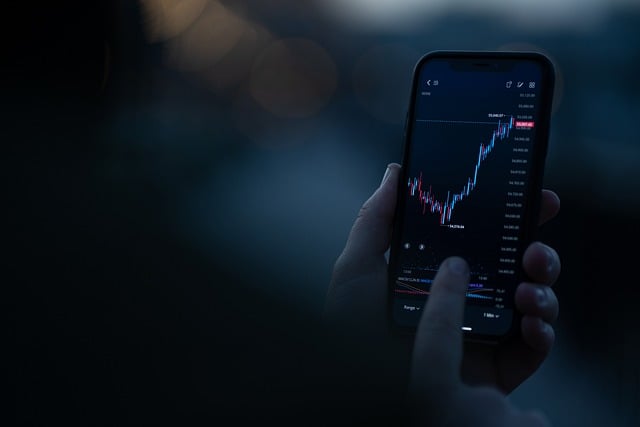
Device compatibility questions often arise when traders first consider moving from casual market observation to placing trades. New participants may not understand the technical requirements for installing trading software, and outdated operating systems sometimes struggle to meet the requirements of current software, particularly on aging desktop computers. Running a MetaTrader 4 download on a computer several years past its normal lifespan can trigger installation issues stemming from system limitations that went unnoticed until installation. The operating system version carries significant weight, a point casual computer users often overlook, because software developers eventually stop actively supporting outdated versions, although those versions still technically work for basic computing tasks. Traders running outdated operating systems might find that the installation completes with no apparent errors, only to discover afterward that some functions fail because of compatibility issues between current software and a legacy system architecture never designed to handle it. Checking the minimum system requirements before installation avoids discovering these gaps through trial and error.
Mobile devices bring their own set of considerations, especially since many Korean traders now expect seamless access to their trades across smartphones, tablets, and computers. The mobile application sets its own minimum Android and iOS version requirements, so owners of aging smartphone models may find the application unavailable through their device’s app store altogether, or technically installable but prone to performance issues that current devices avoid. Mobile readiness deserves equal attention, especially for traders who intend to track or place trades primarily on their phones.
Modern devices usually have ample capacity, so storage space requirements are rarely an issue, although aging devices with limited available storage sometimes experience installation failures that seem unexplained until traders check remaining space and find too little room for the application and its related data files. This is a particular concern for devices used for years without regular maintenance, where photos, applications, and other files accumulate. Even devices that come with plenty of space can run out of free space over time.
Many traders tend to overlook their internet connection stability during the installation process itself, believing that any functioning connection will do, whether it is fast or reliable. A connection that is not reliable can cause a download to be interrupted in the middle of its process, which can sometimes result in corrupted installation files that generate confusing error messages that are unrelated to the underlying issue. Traders installing over an unstable connection, whether a weak home internet connection or an unreliable public network, benefit from securing a stable connection first. That step saves them from troubleshooting mysterious installation failures, which often trace back to an interrupted download.
Antivirus software and security settings sometimes interfere with the installation of trading platforms in ways that confuse traders unfamiliar with how their security software handles new application installations. The trading software itself is typically legitimate in these cases. Some antivirus programs flag trading software installers as potentially suspicious because they request permissions during installation that appear unusual to automated security scanning. Traders confronted with unexpected security warnings benefit from verifying that the installer comes directly from official sources before concluding that the warning signals a genuine problem. Given how frequently fraudulent trading software is distributed through unofficial channels, appropriate caution around installation sources remains warranted.
Doing a compatibility check beforehand saves you the hassle and headache of troubleshooting problems after a failed install. Traders who check that their devices meet the stated requirements before beginning a MetaTrader 4 download may be able to avoid the cycle of incomplete installations, confusing error messages, and repeated attempts to troubleshoot. This is because the cycle is a time-consuming cycle that can be avoided. The first step is the most important, especially for the less experienced traders, who may take simple technical mismatches as a personal failure otherwise.